


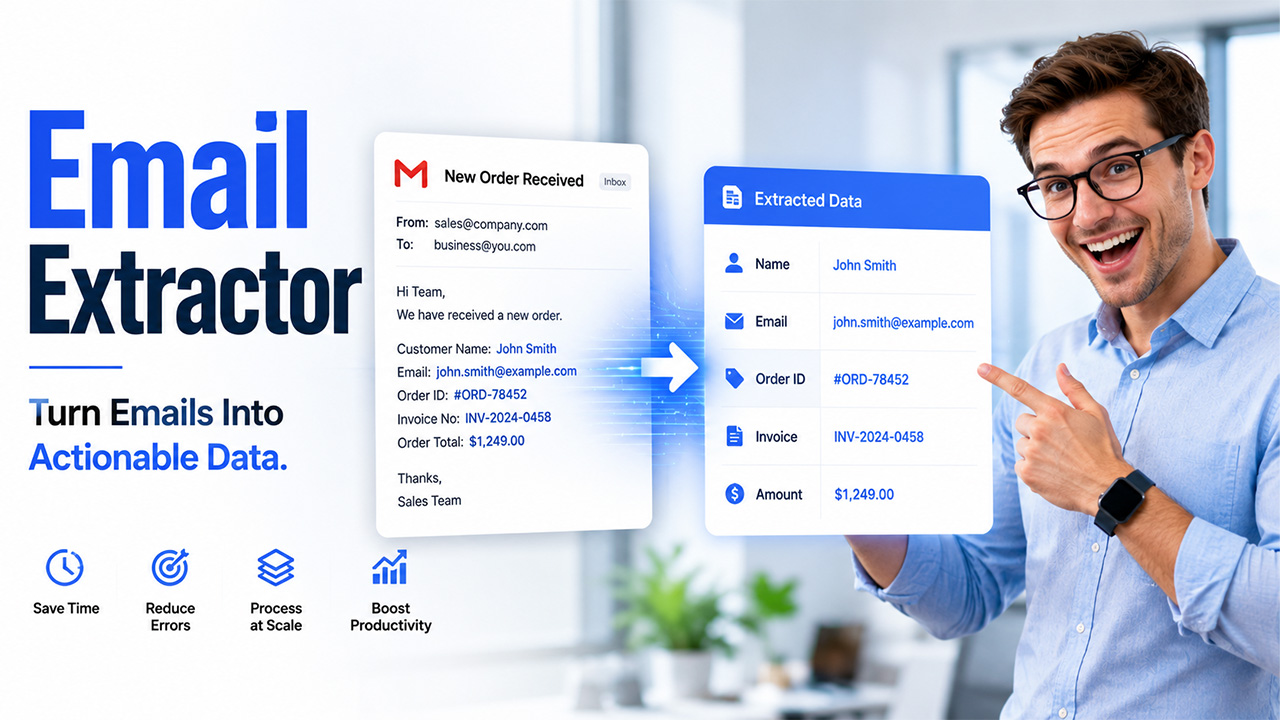




Every business gets numerous emails on a daily basis. These emails can prove to be helpful because they convey important information, including customer information, order ID, invoice information, payment details, etc. It is tough to find and input this information manually, which causes delays and requires additional work.
Email extractors serve this purpose, as they help in extracting data. It works by identifying specific information from emails and converting it into organized and structured data so that businesses can use it in their existing systems. With the help of extractors, businesses do not have to go through the messages and enter information manually into a spreadsheet or CRM anymore.
What Is an Email Extractor?
An email extractor is a program/tool that helps in gathering specific information from emails, web pages, documents, etc. The information that is collected may include email addresses, names, phone numbers, order numbers, invoice details, and payment details. Instead of copying these details manually, an extraction tool can identify and organize them automatically.
How Does Email Extraction Work?

Email extraction generally follows a straightforward process. The exact steps depend on the software and the type of information a business wants to collect.
Step 1: Get or Send the Email
The approach commences when the email gets to the connected inbox or the customer gives an email or document to the extraction machine. It can be an inquiry from customers, an order form, an invoice, a customer service request, a reservation confirmation, or supplier correspondence for businesses.
Step 2: Interpret Email Content
The software examines the content of the email, looking for information the company is interested in. Latest technologies can identify different types of emails instead of working on only one consistent template.
For example, one type of order email can have the order number at the top and another at the bottom. An advanced extraction mechanism can identify the necessary field despite the differences in layout.
Step 3: Recognize the Fields That Need to be Filled
The system is capable of recognizing important fields like name, email address, phone number, invoice number, and order ID. Businesses can also define specific fields or rules to control what information the system extracts.
Step 4: Format and Organize the Extracted Data
Now that the relevant data has been recognized, the system formats it into structured data. Instead of keeping important data hidden in the body of the email, companies can separate it into particular fields.
Step 5: Deliver the data to another system
The last stage is to transport the extracted data to the system required by the business. Depending on the platform, this can include CRM, ERP database, spreadsheet, API, or Webhook. Email extraction can help businesses automate this process and move relevant data into their required systems.
For example, MailsExtract uses AI-powered field recognition and supports custom mappings, conditions, regular expressions, and business rules. It can also deliver extracted data to connected business applications.
What Details Can an Email Extractor Collect?
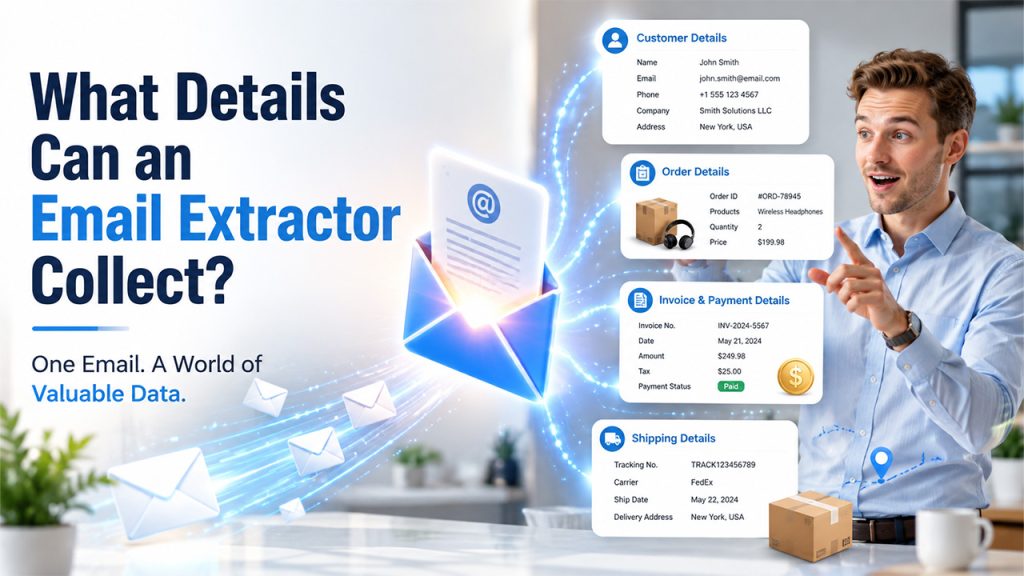
The information available in an email depends on the type of message and the extraction rules. A good extraction system does not only look for email addresses. It can capture many types of business details.
Customer Details
Businesses can retrieve information like name, email address, phone number, company name, address, etc., from inquiries and forms submitted by customers.
Order Details
E-commerce companies receive notifications about orders via email. These emails can include order number, name of products, quantities, prices, details about customers, and delivery information. The extraction of these fields allows businesses to process order information internally.
Details for Invoice and Payment
Finance departments receive invoices and payment notices in their email inboxes. An extraction system collects details about invoice numbers, dates, suppliers, payment amount, tax details, and other key data.
Shipping Details
Shipping emails contain tracking numbers, addresses, shipment dates, order numbers, and carrier information. Collecting information electronically enables logistics departments to keep records up to date.
Advantages of Email Data Extraction for Business
Manual data entry may seem like a simple task, but it can cause a huge workload for a company when it receives many emails.
Saves time
There is no need for employees to open every email, search for relevant information, copy it, and put it into a different system. Automation will do the routine extraction work.
Reduces manual errors
It can be a mistake-prone task to move data between emails and business applications. Automated processes can avoid mistakes caused by manual operation.
It can process many emails
Automated systems can process tons of emails without requiring an employee to look after every email. It is extremely beneficial for companies that regularly receive orders, questions, invoices, or requests for help.
Keeps business data organized
Email inboxes are intended for communication and not data management. Data extraction leads to organized records of the useful data that employees can easily use for search and contacts.
Automates routine processes
Extracted data can go directly to business systems such as CRMs, ERPs, spreadsheets, and databases, eliminating the need for manual data entry.
Conclusion
Emails may contain relevant information for business activities, but the data collection process is time-consuming. An extractor can help find vital business information in emails and convert it into structured pieces of information. Extracting emails can
automate the process of collecting different types of information, including inquiries, purchases, invoices, deliveries, etc.
However, the extractor should not solely focus on collecting email addresses. This solution should connect email addresses to other types of software systems (e.g., customer relationship management, enterprise resource planning, etc) where they can be used. For companies handling significant numbers of emails on a daily basis, automating this process can considerably speed up business activities.
Frequently Asked Questions
Yes. This tool can process large volumes of emails automatically. This allows businesses to reduce the time employees spend reviewing emails and manually entering data into the system.
Yes. By using an extractor, small businesses may eliminate the repetitive work of entering the needed data, saving their precious time. This is especially useful for managing client requests, sales, invoices, and other information that regularly comes through email.
Yes. Depending on the tool and its integrations, extracted information can be sent to a CRM or other business applications. This allows businesses to create or update records without manually copying information from emails.
Make sure it has features such as support for different email formats, the ability to process attachments, automation, integration with other systems, and accuracy of the data processed. Your final choice will depend on what information you need to process and the volumes of data you expect.