


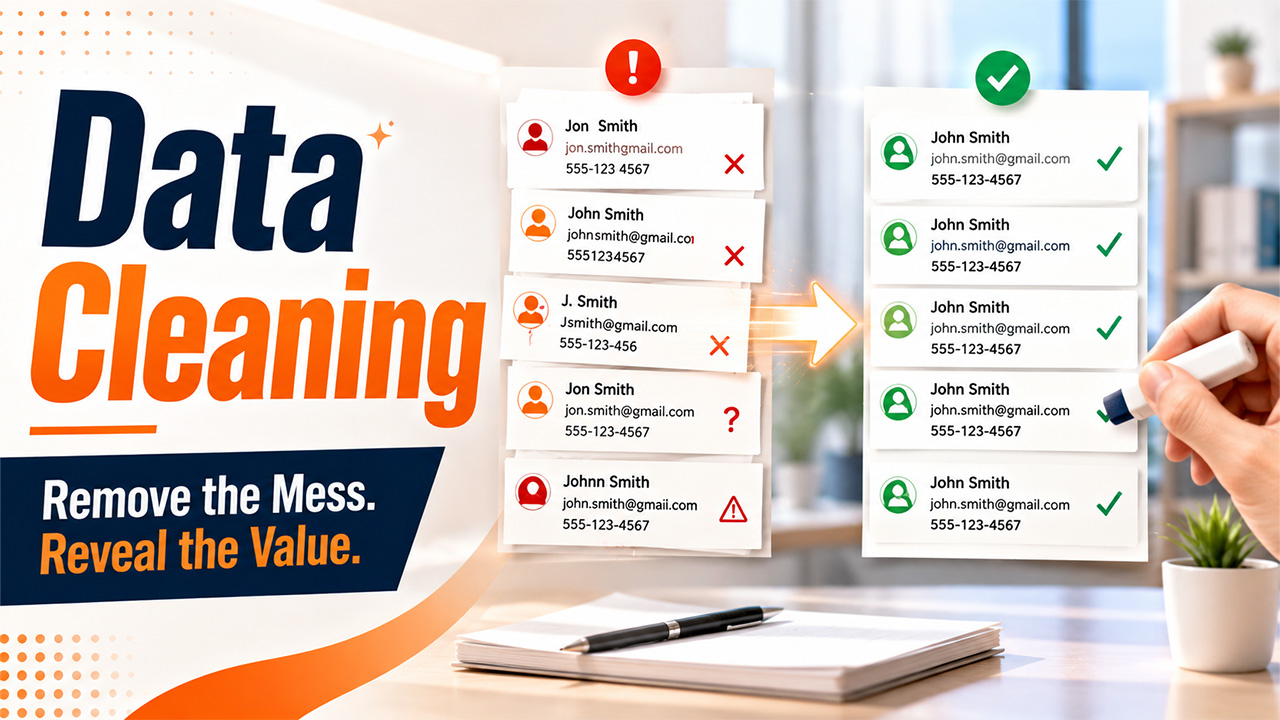




A customer’s record looks harmless until you find three records for the same person, an old email address, and a phone number with a missing digit. Then the problem starts. Messy records waste time, distort reports, and send marketing messages to the wrong people.
You need regular checks and maintenance before these errors spread across your CRM, spreadsheets, or email platform. A simple process keeps your information trustworthy. Data Cleaning is that process for you. It helps you spot stale, outdated records, correct information, and remove any discrepancy in your data. This guide explains how it works and how tools and AI support it.
What Is Data Cleaning?
It is the process of finding errors, inconsistencies, duplicate records, and incomplete information in a dataset. It is also known as data cleansing or data scrubbing.
Common problems include:
- Duplicate customer or lead records
- Missing names, email addresses, or company details
- Incorrect email addresses
- Different formats for the same type of information
- Outdated contact details
- Spelling mistakes
- Invalid values
- Records that no longer have any business value
For example, an entry could be represented in the database as “John Smith,” “john smith,” and “J. Smith” in various documents. The cleaning process helps to determine whether these records refer to the same person.
Why Is Data Cleaning Important for Businesses?
Bad data doesn’t always look bad at first. A single typo might seem harmless. Multiply that typo across thousands of customer records, and the problem becomes much easier to see.
It improves reporting
Imagine your CRM contains two records for the same company. Your report may count them as two customers or two leads. That’s a reporting problem. When you remove duplicates and standardize records, your numbers give you a more accurate view of what’s happening in the business.
It saves employee time
Manual corrections take longer when records are inconsistent. A team member may need to search for the correct information, compare several records, and update each one separately. A good cleaning process reduces this repetitive work.
It gives AI better information
AI systems also depend on the data they receive. If your customer information contains errors, duplicates, or missing values, the output may become less reliable. That’s one reason businesses pay more attention to AI data cleaning as their datasets grow.
Once your records are clean, customer data enrichment is often the natural next step.
Common Data Cleaning Techniques

There isn’t one button that fixes every data problem. The right approach depends on the type of information you’re working with and how you use it.
Here are some of the most common techniques.
Remove duplicate records
Duplicate detection looks for records that represent the same person, company, or transaction.
A simple email address match can identify obvious duplicates. More complex datasets may require comparisons across names, phone numbers, addresses, company names, and other fields.
You should also decide what happens when two duplicate records contain different information. Automatically deleting one can remove useful data.
Standardize formats
The same information often appears in different formats.
For example:
- +44 20 1234 5678
- 020 1234 5678
- +442012345678
These may represent the same phone number. Standardizing the format makes the records easier to search, compare, and process.
Correct inaccurate information
This includes obvious spelling errors, invalid values, and incorrectly entered details.
For email databases, validation can help identify addresses that don’t follow the expected format. You can then review or remove questionable records before using the list.
How to Clean Your Data Step by Step
A practical cleaning procedure begins before any changes take place.
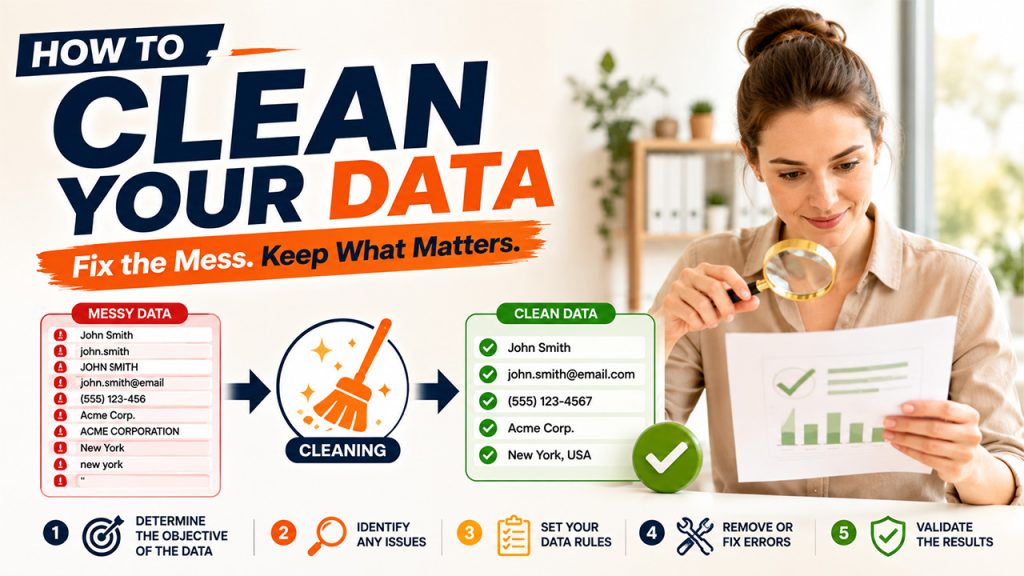
Step 1: Determine the objective of the data
First of all, you must figure out what you use the dataset for.
For example, the requirements for a sales dataset are different from those for a financial dataset or an email marketing list. Understanding the purpose helps you identify the most important fields.
Step 2: Identify any issues
Take a sample of your data and analyze it: are there duplicate entries, missing fields, incorrect email addresses, inconsistencies in the format of data, or old information, etc. This analysis shows you the problems you have in the data.
Step 3: Set your data rules
Create simple rules for what counts as a valid record. For example, your email database may require every contact to have a valid email format and a company name. Your CRM may also require standardized country and phone number fields.
Step 4: Remove or fix errors
Now start cleaning data based on those rules. Correct information when you have a reliable source. Remove clear duplicates. Flag records that need manual review instead of making uncertain changes automatically.
Step 5: Validate the results
Don’t assume the job is finished because the records look cleaner. Run the checks again. Look for remaining duplicates, missing information, and formatting problems.
Data Cleaning Tools and AI
You can clean up a small dataset manually, especially when you work with a few hundred records. Large datasets can be a major problem.
Spreadsheets
Excel and similar spreadsheet applications work well for basic tasks. You can sort records, filter values, find duplicates, and standardize information manually.
They’re useful for smaller datasets, but large-scale cleaning can become slow and error- prone.
Database and coding tools
SQL, Python, and R give technical teams more control over large datasets. You can create repeatable rules and automate tasks that take hours to complete manually.
This approach works particularly well when data enters a system regularly.
Conclusion
Clean data gives you a reliable database. That is crucial when you send out your emails, look for potential clients, create reports, or rely on the power of AI technology. Data cleaning helps you with the elimination of duplicates, rectification of mistakes, standardization of records, and removal of obsolete data. You do not have to clean every single record manually.
Spreadsheets, automation, specialized cleaning programs, and AI technology handle many of these tasks. The most important step is to make cleaning a part of your data process. You must check the records with newly acquired information as soon as new data arrives so that you do not have a problem managing your database.
Frequently Asked Questions
A- Some of the methods include cleaning duplicates, dealing with missing data, standardizing the format, rectifying wrong data, and confirming records, as well as either deleting or backing up old data.
The decision depends on the size of the data set. For small queries, a spreadsheet is a good solution, but a database, coding, and special software are better for analysis of big and complicated datasets.
Yes. AI easily detects possible duplicates, wrong values, and inconsistencies. However, it is still necessary to review it yourself. Don't leave everything to AI.
It depends on the rate of new information being received in the system. If a business works with leads or customers often, regular checks take place rather than a big cleaning event.